.PNG)
TALKING FACES - How to create a shareable URL?
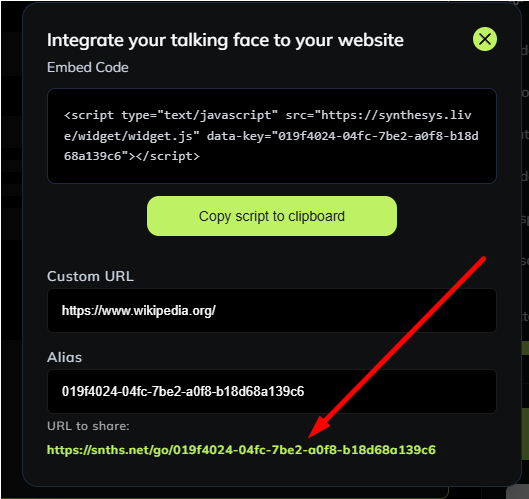
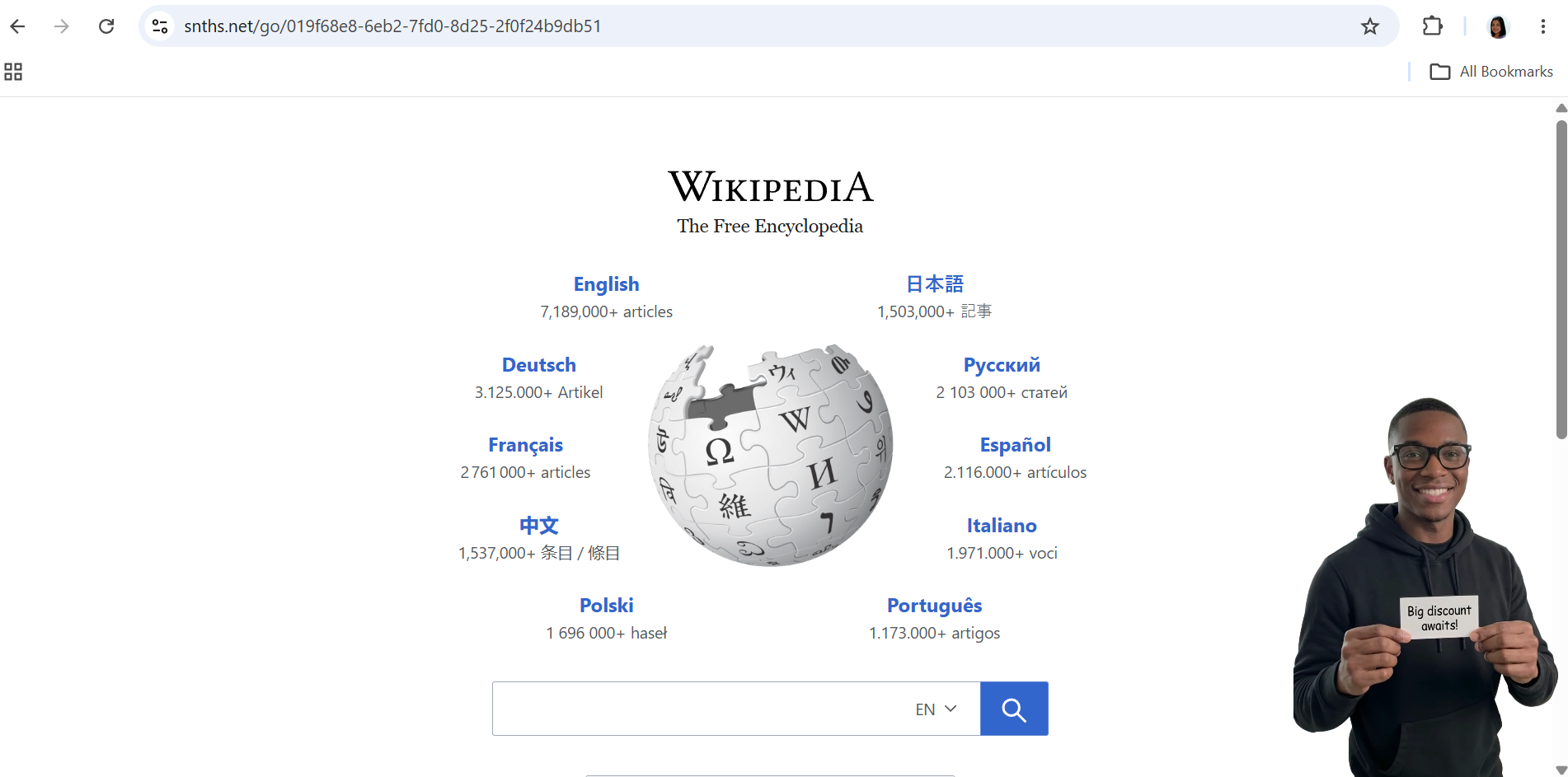
The URL to share is used to demonstrate to your client how their website will look with the talking face being overlayed on it. It’s like a preview before they actually have a chance to place it on their site.
To create a shareable URL for your Talking Faces, please follow the steps below:
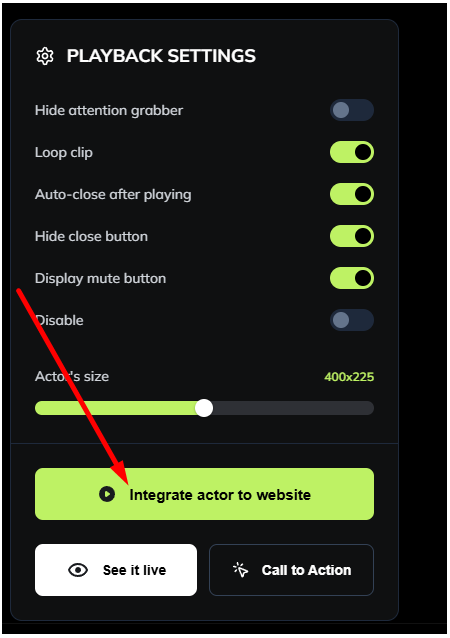
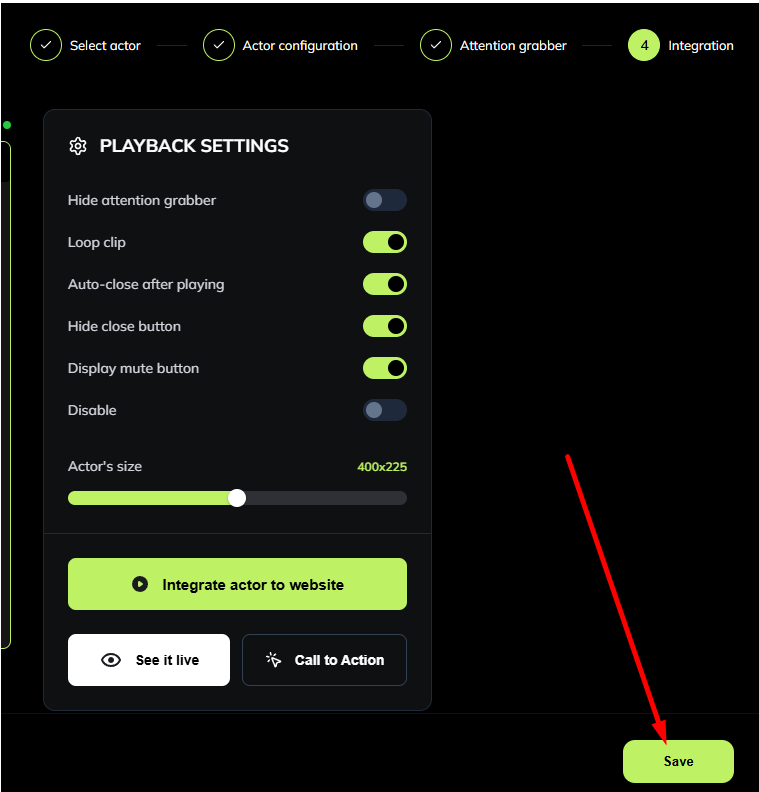
- In the Playback Settings, click on "Integrate actor to website:"
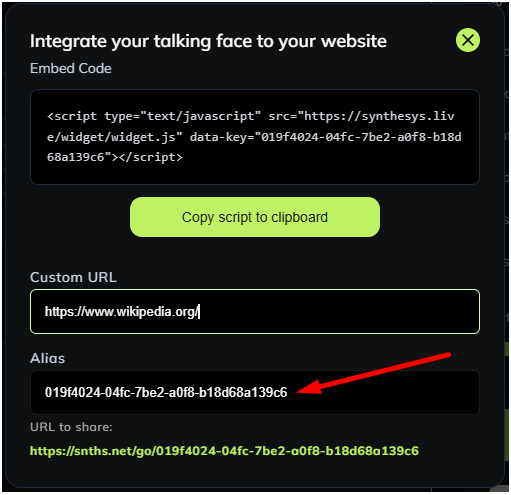
- Enter the URL where you want to overlay your Talking Face on the 'Custom URL' field.
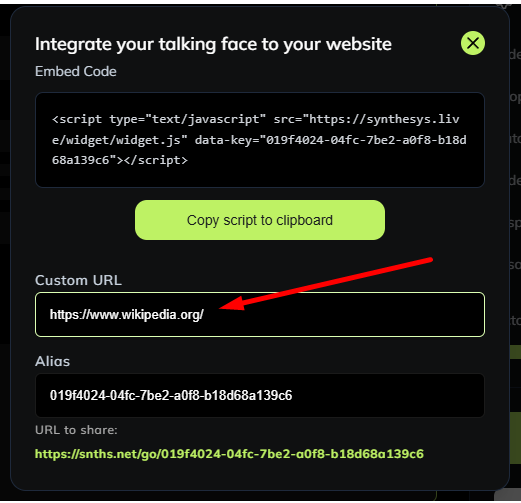
- Enter a name on the 'Alias' field or use the pre-generated alias.
- Close the window and click 'Save'
- Open the "Integrate actor to website" again copy and paste the 'URL to share' on your browser to see the Talking Face overlayed on the desired webpage.