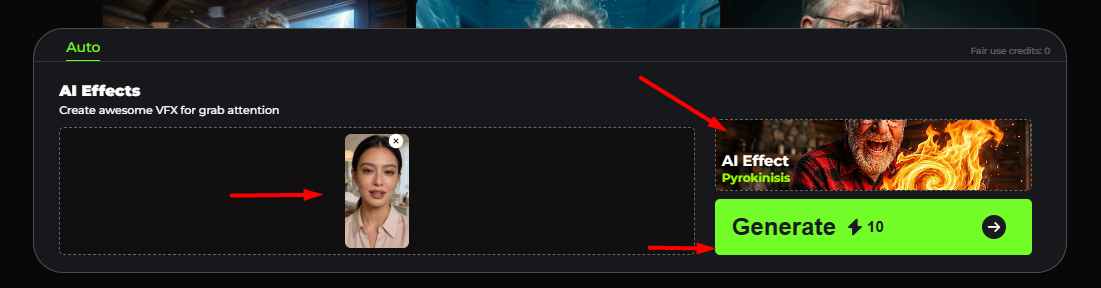
.PNG)
AI EFFECTS
This tool lets you create videos where you can apply pre-built cinematic effects to your actor or persona.
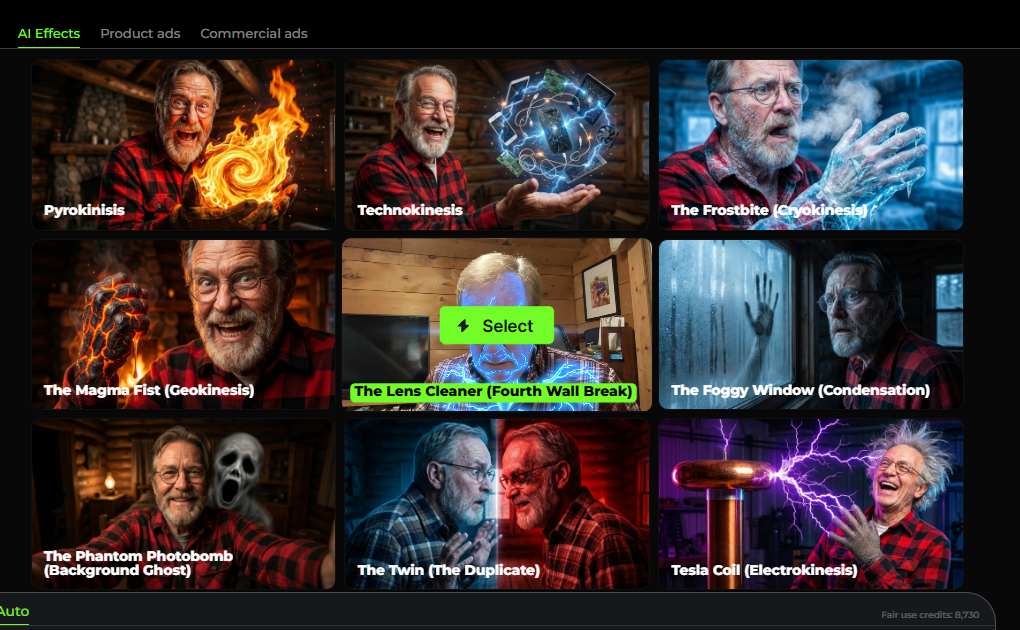
A grid of AI Effects presets, each one representing a different visual or narrative effect you can generate:
- Pyrokinesis – makes it look like the person is controlling fire.
- Technokinesis – futuristic tech/energy visuals floating in the hand.
- The Frostbite (Cryokinesis) – ice, frost, and cold breath effects.
-
The Magma Fist (Geokinesis) – molten lava/rock forming around the fist.
The Lens Cleaner (Fourth Wall Break) – the character appears to interact with the camera lens.
- The Foggy Window (Condensation) – fogged glass with handprints or breath.
-
The Phantom Photobomb (Background Ghost) – a ghostly figure appears behind the subject.
The Twin (The Duplicate) – a duplicate version of the person facing themselves.
-
Tesla Coil (Electrokinesis) – lightning and electrical energy effects.
This is the creation workflow:
-
Select effect
Pick one of the AI Effects from the gallery as shown below.
-
Select actor
Upload or choose a photo/video of a person. When you click Select Actor, you’ll be taken to the Persona Library, where you can select or generate a persona based on your description
-
Generate
The AI applies the effect automatically (costs credits, shown by ⚡).